Start with the flat shape
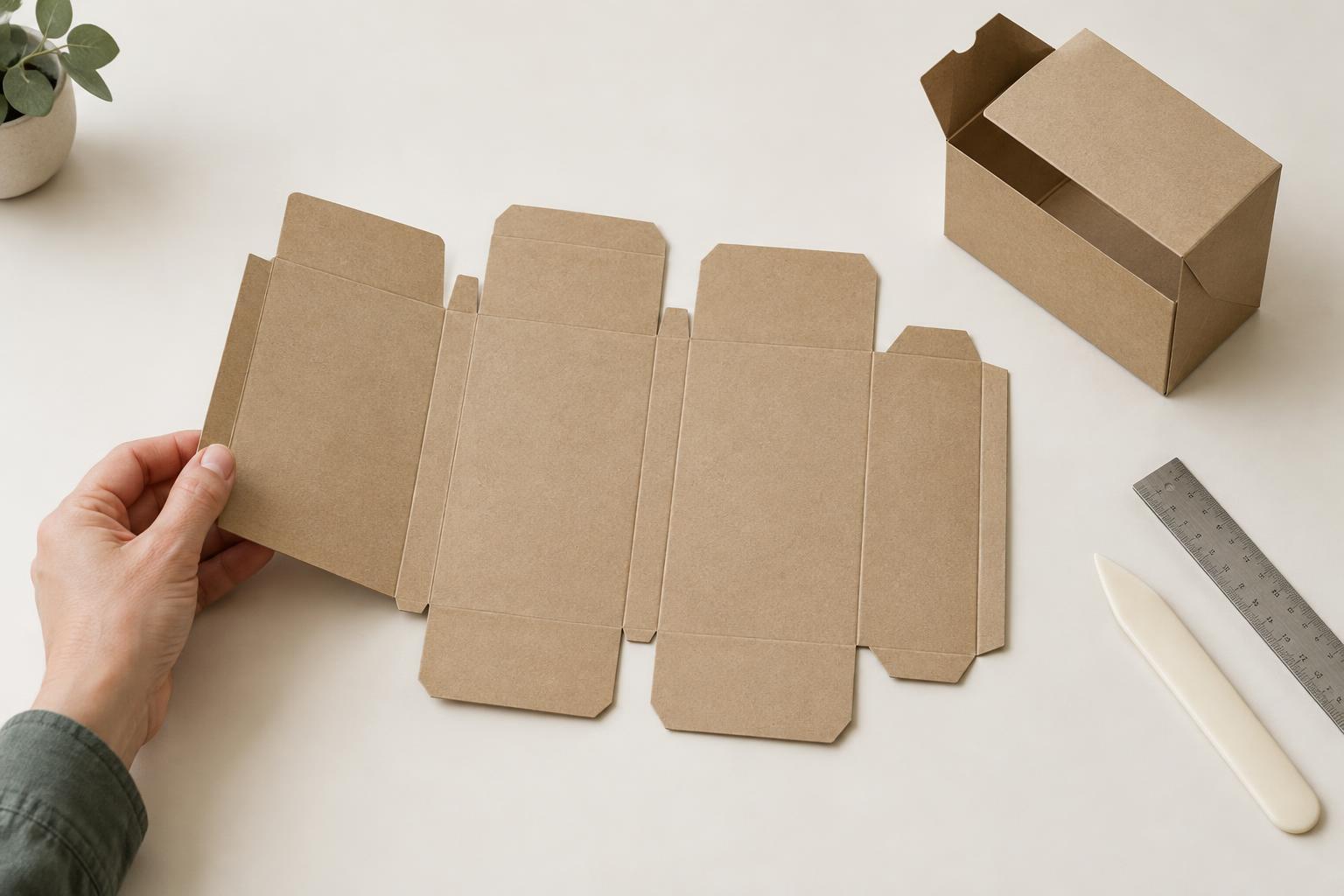
A carton dieline shows the shape of a package laid flat, before it is cut, folded and assembled. It is both a guide to the carton’s construction and a reference for placing artwork. What looks like a collection of rectangles and tabs on screen will become a three-dimensional box, so the first task is to work out which parts form the body and which parts close it.
Begin with the largest connected panels. On a typical folding carton, these form a strip of front, back and side faces. Smaller shapes attached above and below that strip are usually top and bottom flaps. A narrow strip along one outer edge may be a glue flap, used to join the body into a tube. Not every carton follows this layout: sleeves, trays and cartons with locking closures use different arrangements. Read the specific dieline rather than assuming every box folds the same way.
Identify panels by following the folds
To locate the front panel, find the face intended to carry the product’s main display, then trace its neighboring panels across each fold. The order on the flat sheet is not always the order you expect from a finished box viewed from the front. Some panels will also appear upside down in the artwork file because they rotate into position during assembly.
Check the dimensions shown on the drawing, if provided. Panel width and height help distinguish a broad front or back from a narrow side. They also help you spot where a closure flap belongs. Dimensions may describe the finished carton, the flat blank or a particular measurement convention, so clarify what they refer to before using them to size artwork or contents.
If the orientation is hard to picture, make a paper mockup. Print the dieline at a known scale, cut around the outer shape, fold along the marked lines and hold the carton closed. Even an unglued model can reveal an upside-down label, a flap that covers important text or a panel mistaken for the front.
Separate cuts from folds
A dieline normally distinguishes edges that will be cut from lines that will be creased or scored for folding. It may also show perforations, slots or other features. Do not rely on color or dash patterns alone: drawing conventions vary between suppliers and files. Look for a legend or clearly named layers, and ask for clarification if the marks are ambiguous.
A cut line defines an edge or opening. A crease line indicates where the board is intended to bend; it does not remove material. Together, these lines explain why two panels that seem adjacent on the screen may move in different directions when the carton is assembled. Fold direction matters especially around tuck flaps and locking tabs. If the file does not indicate how a feature folds, a mockup or assembly sketch is more reliable than a guess.
Keep the structural lines separate from printed artwork. If color or an image must reach a cut edge, the artwork generally extends past that edge as bleed to allow for small cutting variation. Important text and fine details, by contrast, need room inside cuts and folds. Confirm the required bleed and clearances with the printer or converter rather than treating a visual estimate as a production specification.
Find the glue flap and its mating panel
The glue flap is a narrow panel that overlaps another panel to form the carton’s side seam. Trace the flat strip of body panels from one end to the other: the glue flap is often at one end, with the panel it joins at the opposite end. Its shape may be angled or trimmed to avoid interfering with closure flaps.
A glue flap is structural space, not an extra display face. Artwork on or near the seam may be hidden after assembly, and adhesive needs an appropriate bonding area. Depending on the construction and production method, the supplier may specify areas that must be kept free of ink, coatings or other finishes. Ask for those requirements before placing a background or a design element across the join.
Check the dieline before approving artwork
Once you can picture the assembled carton, make a final pass from both perspectives. On the flat dieline, check that artwork fits the intended panels, respects cuts and folds, and leaves the glue area usable. On a folded mockup, check which faces are visible, how the top and bottom close, and whether text reads in the intended direction.
A dieline shows where the carton is meant to fold and cut, but it cannot by itself confirm that the board, contents and packing process will work together. When fit or closure behavior matters, review a physical sample with the people making the carton. The goal is simple: resolve misunderstandings while the package is still a flat drawing, before they become problems in a finished batch.